Project structure
Organize the work
Group renovation work into subprojects by drag and dropping records and manage the associated pipes and laterals from the project overview.
Project details / Per Aarsleff Pipe Overview
Internal business application for Denmark's largest construction and civil engineering group Per Aarsleff or their sewer/pipe renovation business. It brings main pipes, laterals, and subprojects into a shared workspace, with tools for importing and reviewing inspection data, updating project records, and coordinating work as plans change. The application lives inside their Microsoft Dynamics 365 application as a web resource.
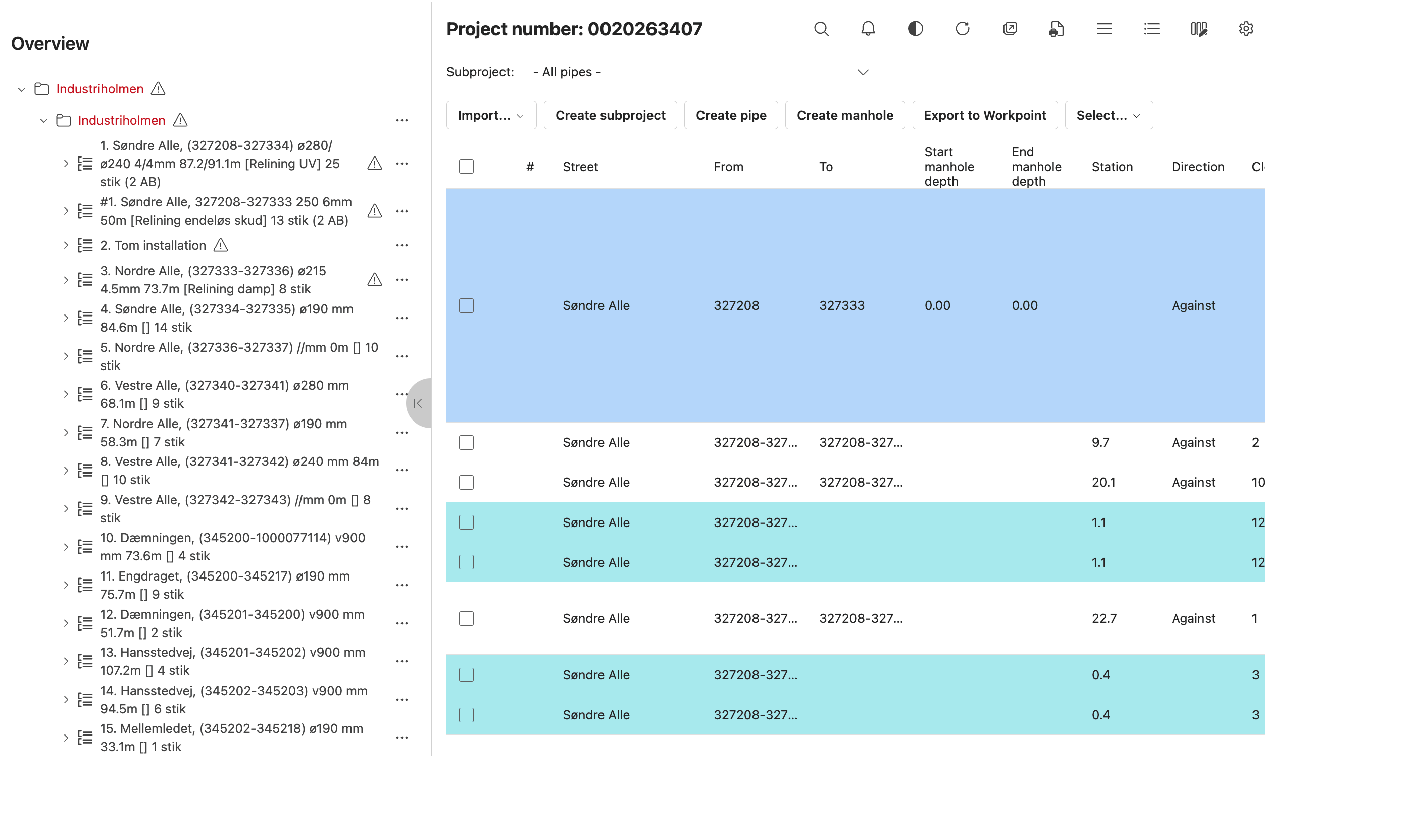
Product view
Navigate the project tree and review editable pipe records in one view.
Overview view, 1 of 4
View 01 / Overview
The project tree, subproject controls, and pipe table keep the selected renovation work visible together.
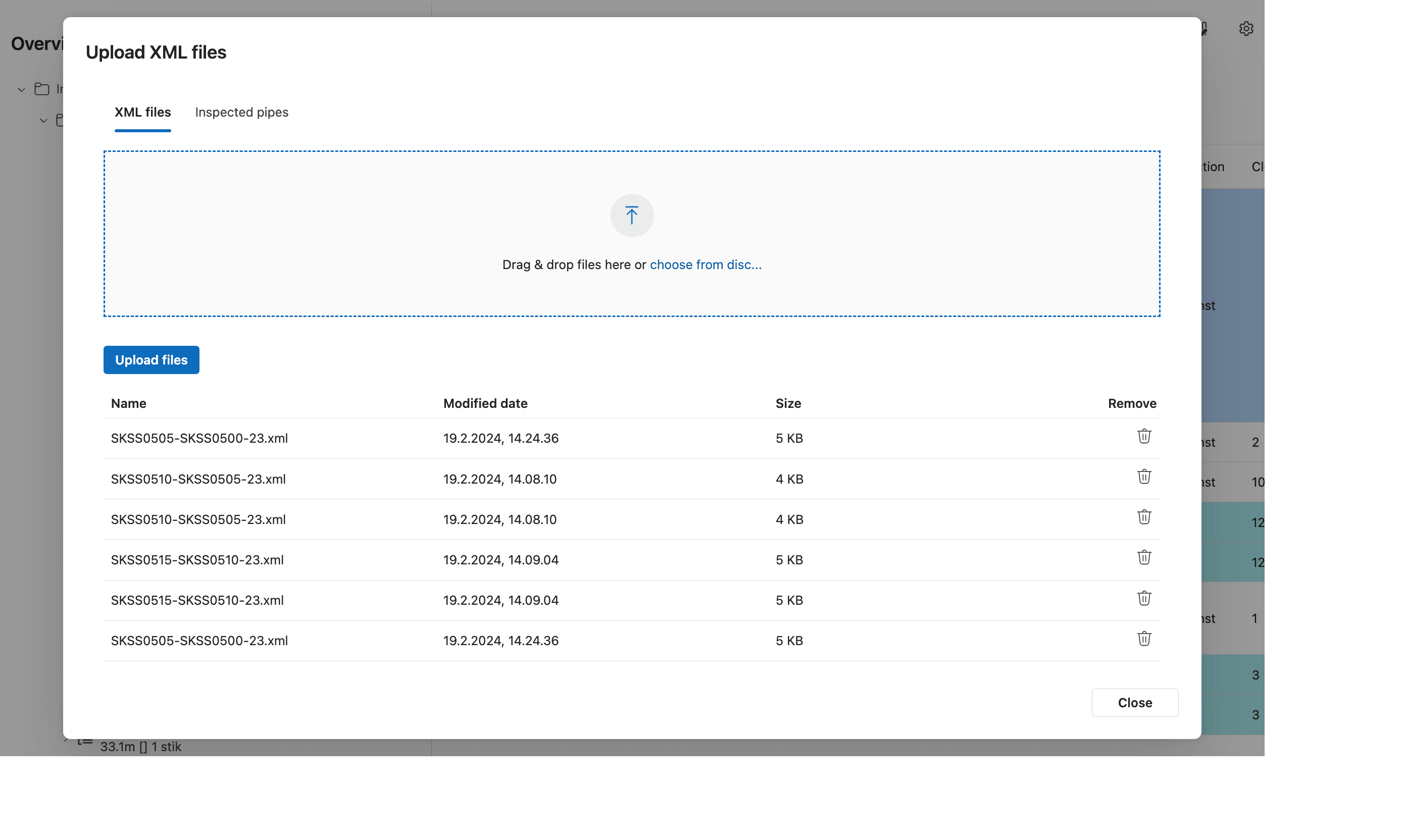
View 02 / XML upload
The upload dialog provides a drop zone and a list for managing inspection XML files before import.
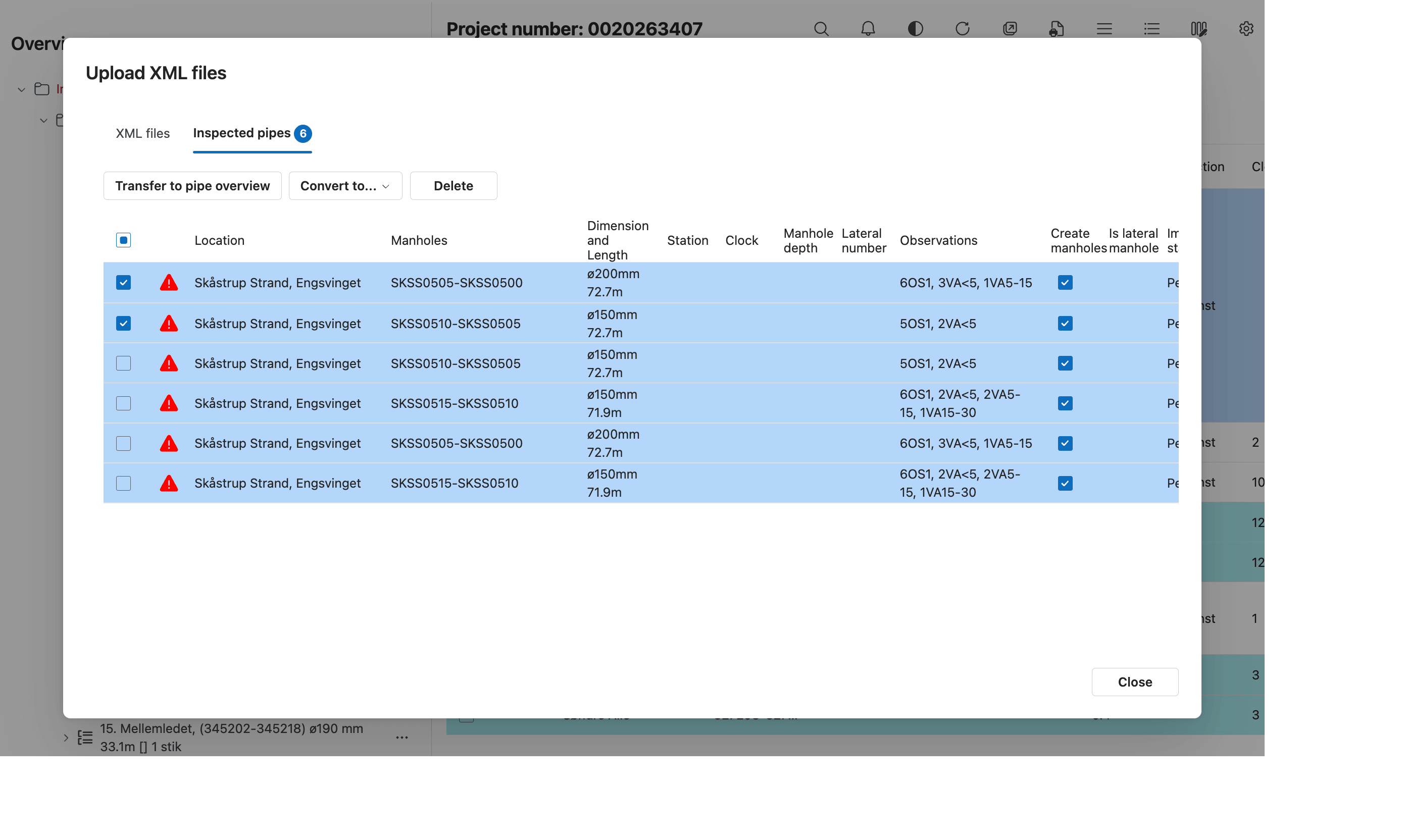
View 03 / Inspected pipes
The inspected pipes table shows locations, dimensions, observations, and validation warnings for imported records.
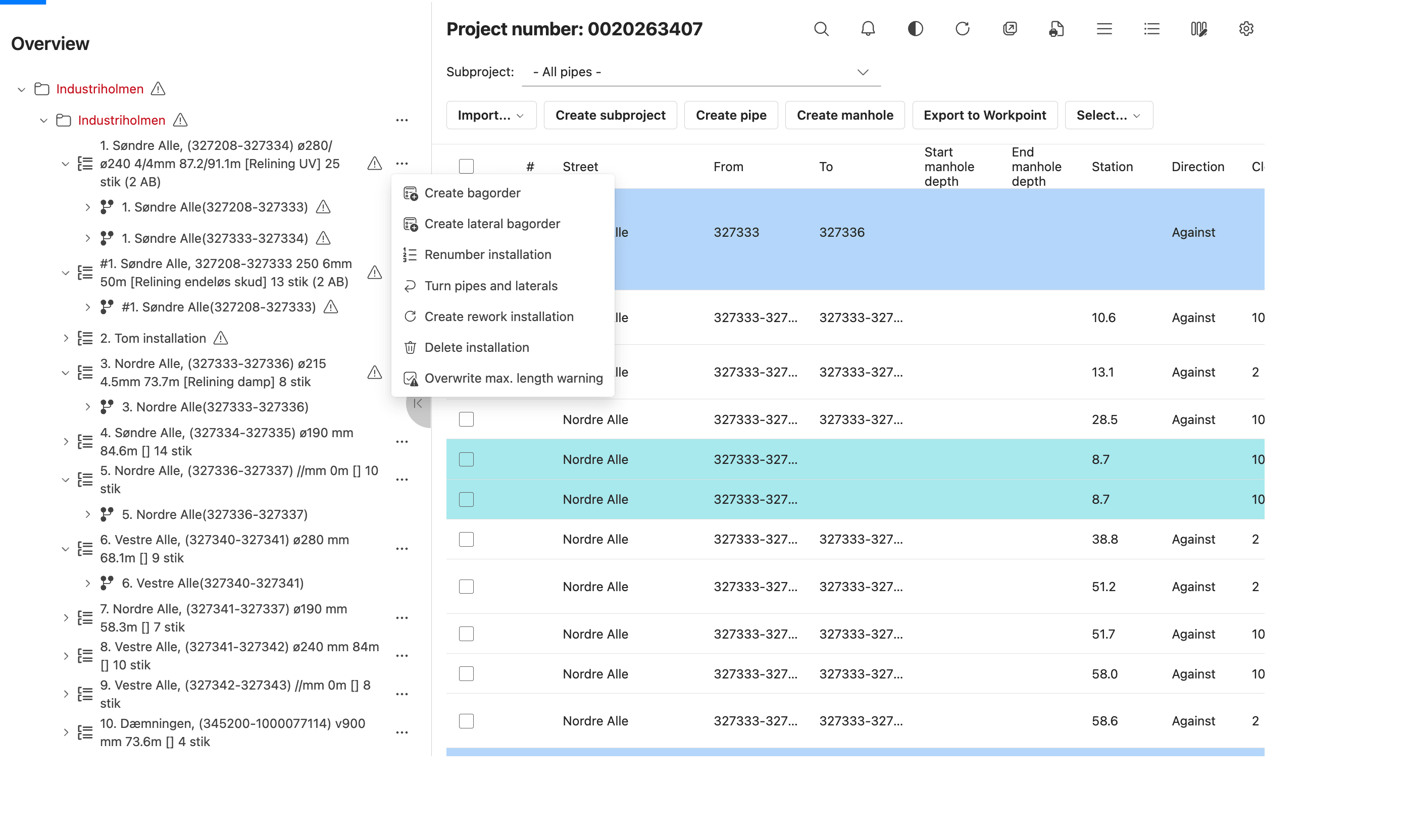
View 04 / Pipe actions
The contextual menu provides actions for creating borders and work installations, turning pipes and laterals, renumbering, and managing warnings.
Project overview
Pipe Overview keeps the project structure, pipe details, and inspection workflow connected in one workspace.
Project structure
Group renovation work into subprojects by drag and dropping records and manage the associated pipes and laterals from the project overview.
Day-to-day planning
Create and update pipe records, edit project details, and move work between the relevant project structures.
Inspection workflow
Import tv-inspection XML and keep the resulting information alongside the project data used for planning.
Engineering notes
The web resource connects the React interface to project and inspection services while fitting into the Dynamics 365 workflow.
Application
A typed React application delivered as an HTML web resource inside Dynamics 365.
Component library
Consistent interface components aligned with the surrounding Microsoft business application.
Data
On-demand collections and live queries keep pipe records filtered by the active project view, with edits persisted through API requests.
API state
Manages the generated API queries and mutations, including request caching and server-state synchronization.
API generation
Generates typed API schemas and React Query hooks for queries and mutations across the Pipes, Inspection Import, and Liner Order APIs.
Build
Local development and production bundling for the Dynamics web resource.
Platform
The web application integrates with the customer's Microsoft Dataverse backend.
Localization
Backend APIs support project and inspection workflows; Lingui provides Danish and English strings.